View and update Application
In the OpenShift browser, select Topology from the left menu.
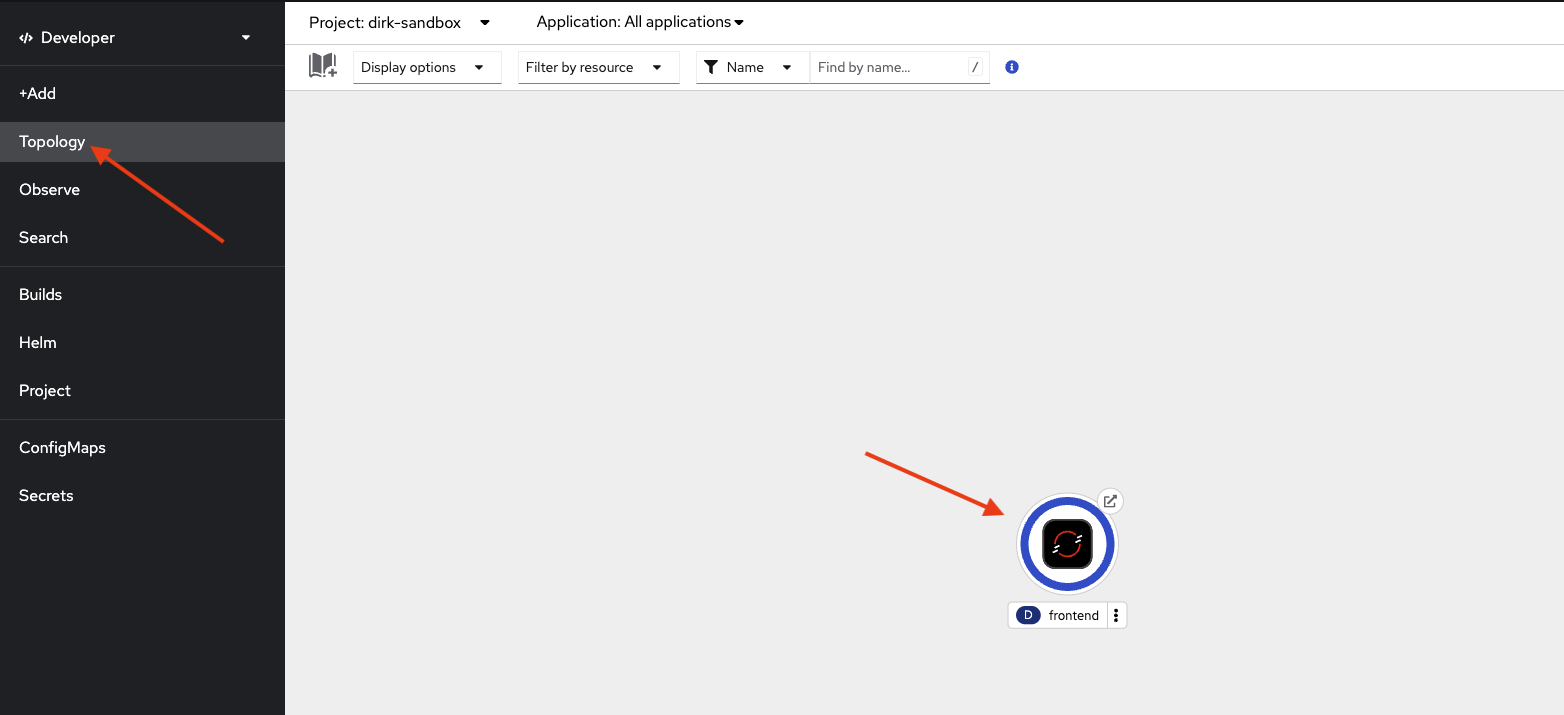
Click on the topology graphic in the middle to expand the topology.
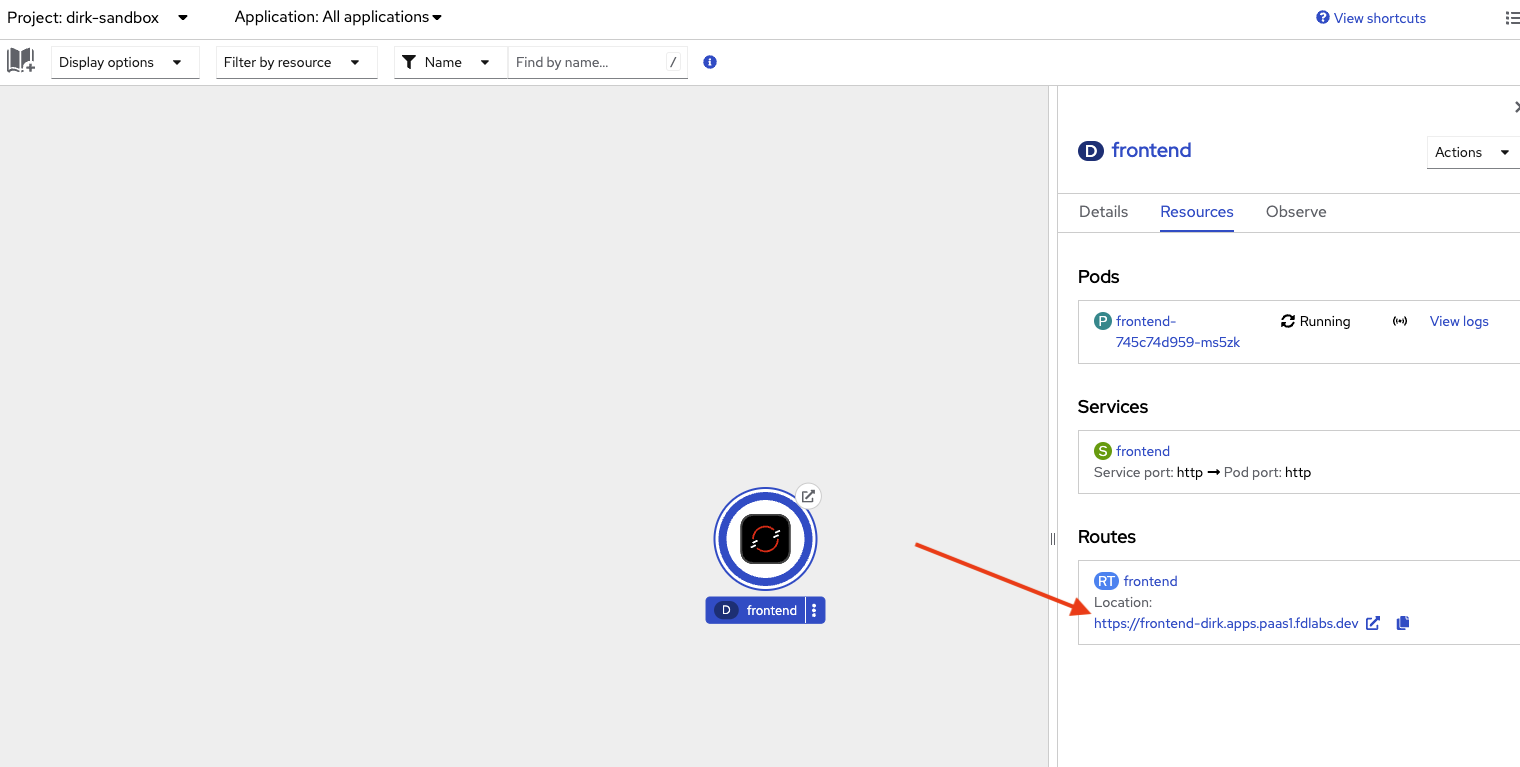
In the right, with the resources tab selected you should see Pods, Services and Routes. In the Routes section, select the URL to view the application. Note the version of the application.