Populate the container registry
In this section we will user a Gitlab CI/CD pipeline to add content to the Gitlab container registry.
Browse back to the repository. Select Code then Repository.
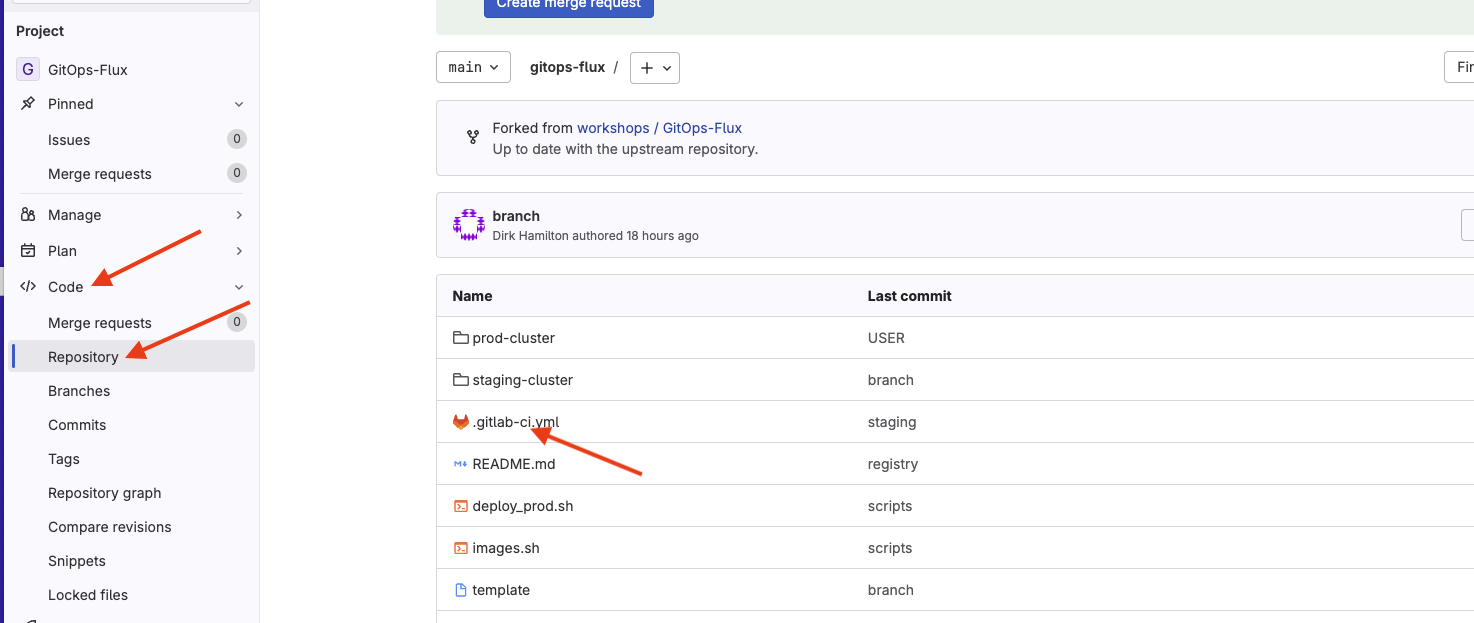 Select the .gitlab-ci.yml file to view the contents.
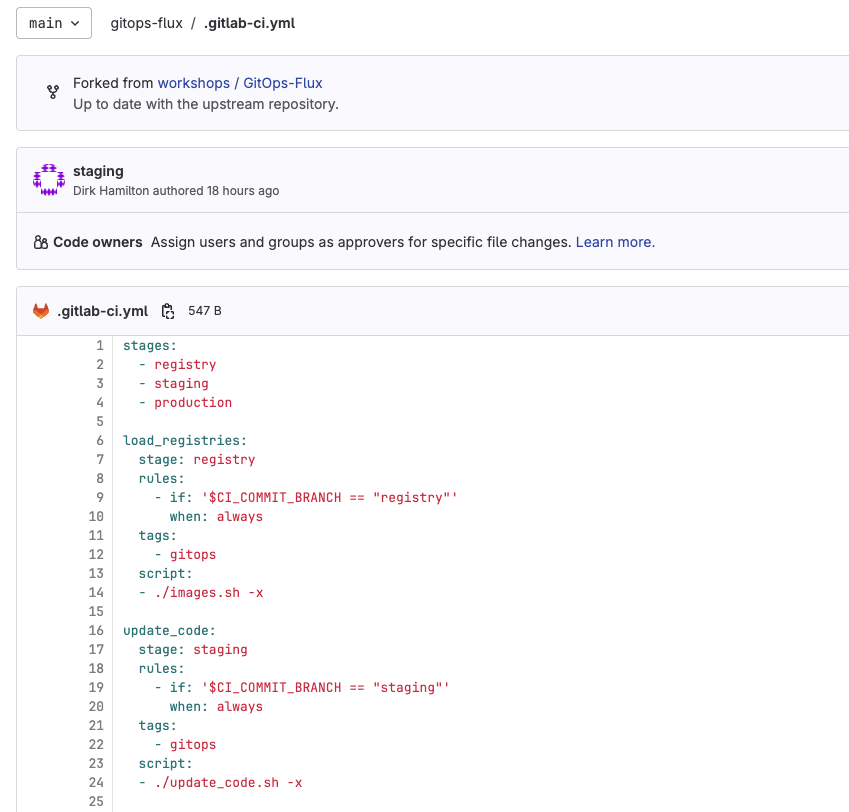
There are three stages in our pipeline. The first one is called registry. Notice in the load_registries: section there is a rule to run this stage when the commit branch is registry. When this stage executes it runs the images.sh script. Select the gitops-flux link to navigate back to the root of the repository.
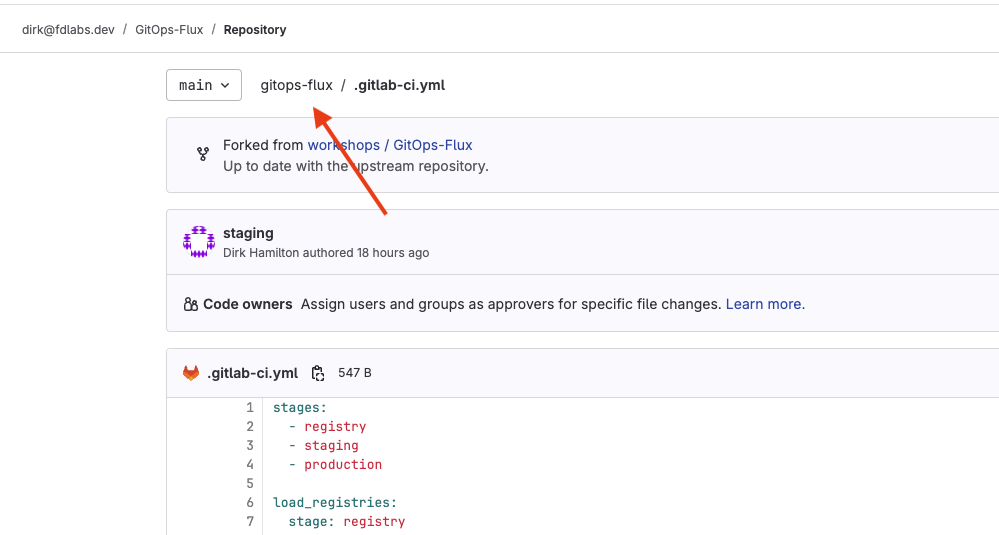
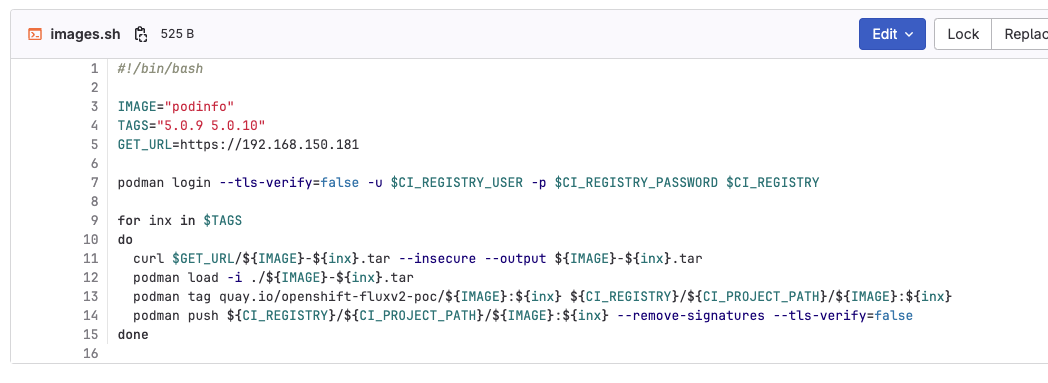
Open the images.sh script to view the contents. This script uses podman to login to our registry using baked in GitLab CI variables. It then downloads two container images, loads them, tags them and pushes them to registry.
Trigger pipeline
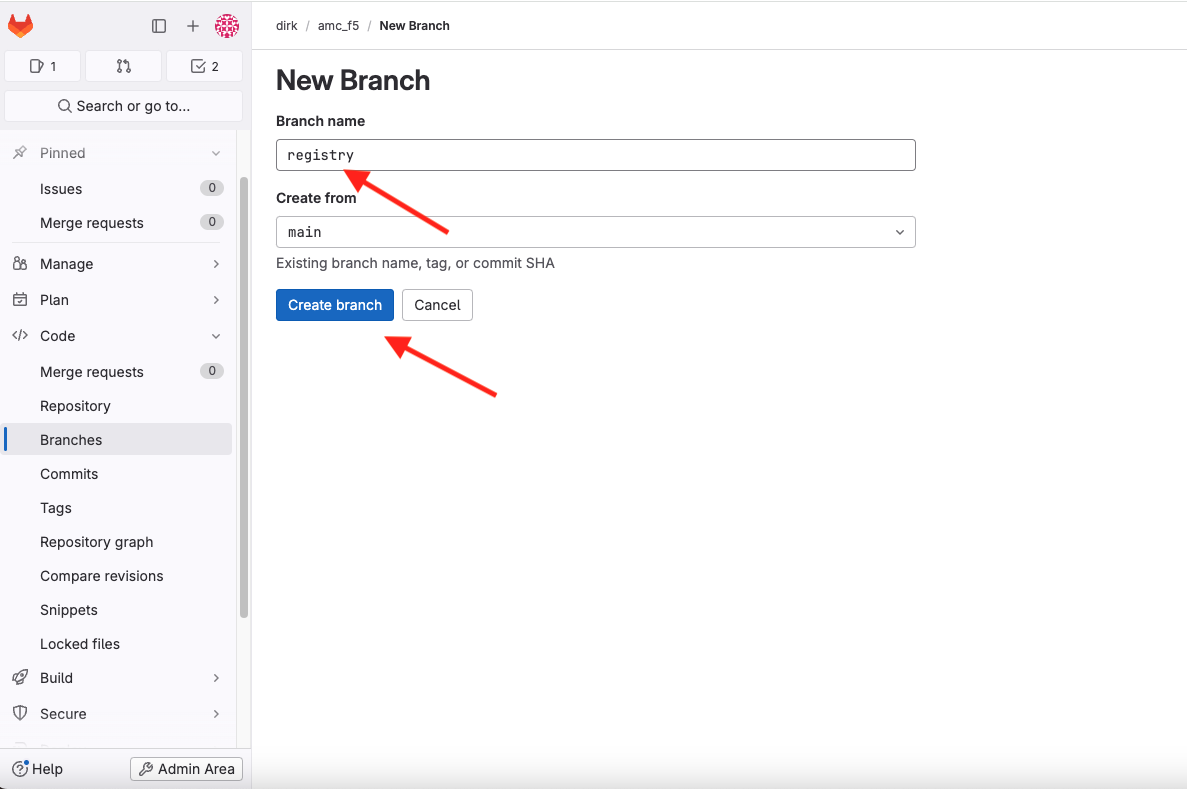
Select Code and Branches. Select New branch. Enter registry in the Branch name field and select the Create branch button. This branch name matches the value of the $CI_COMMIT_BRANCH variable in the CI/CD pipeline.