Provisioning and Mounting Volumes
Recall from lab 4 that our Nexus instance lost our repository when we restarted the pod. We’re going to fix that by mounting a PersistentVolume on our NetApp to the directory where Nexus stores repository data.
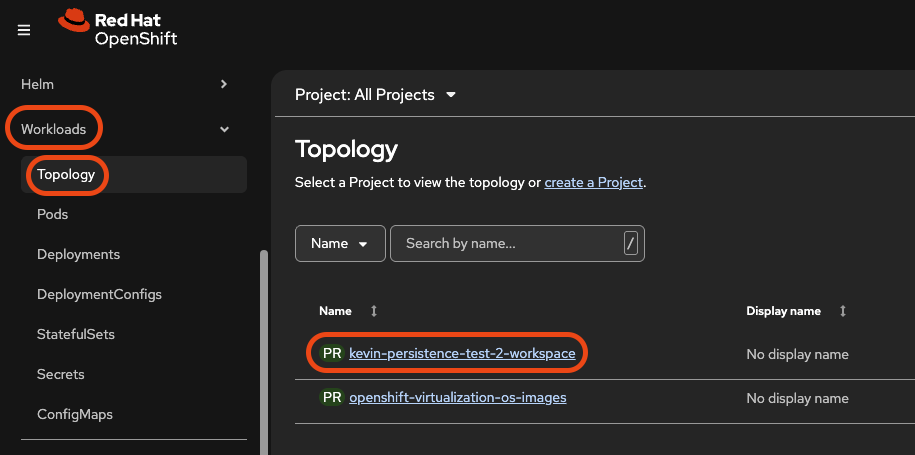
Let’s start by browsing over to our App in the Openshift Console. Return to the topology view by clicking Workloads -> Topology then selecting your workspace project.
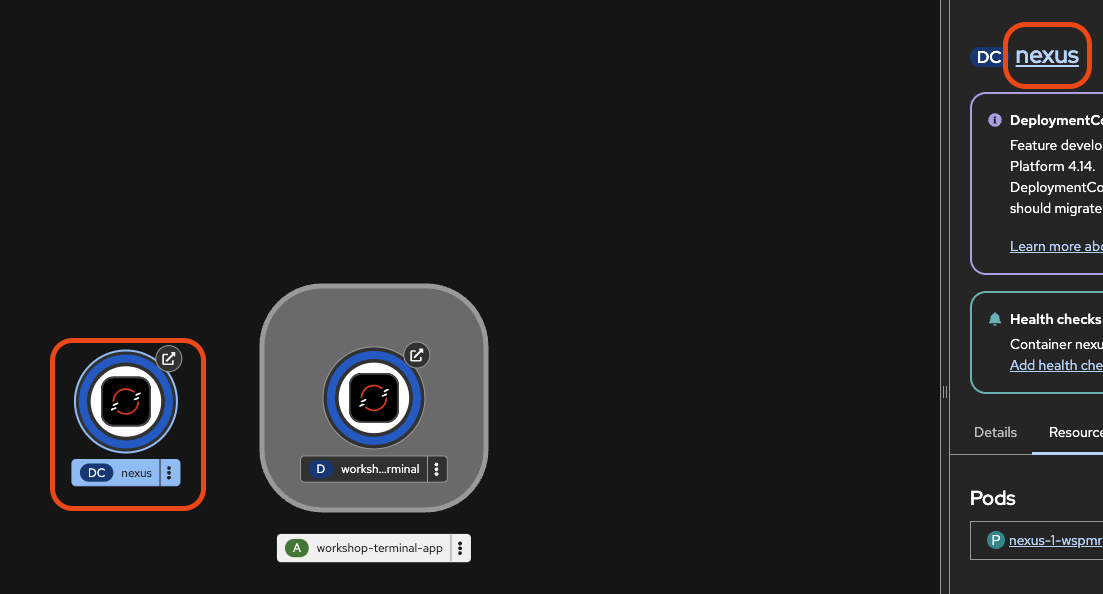
Select the Nexus deployment then click the “nexus” link to open the DeploymentConfig.
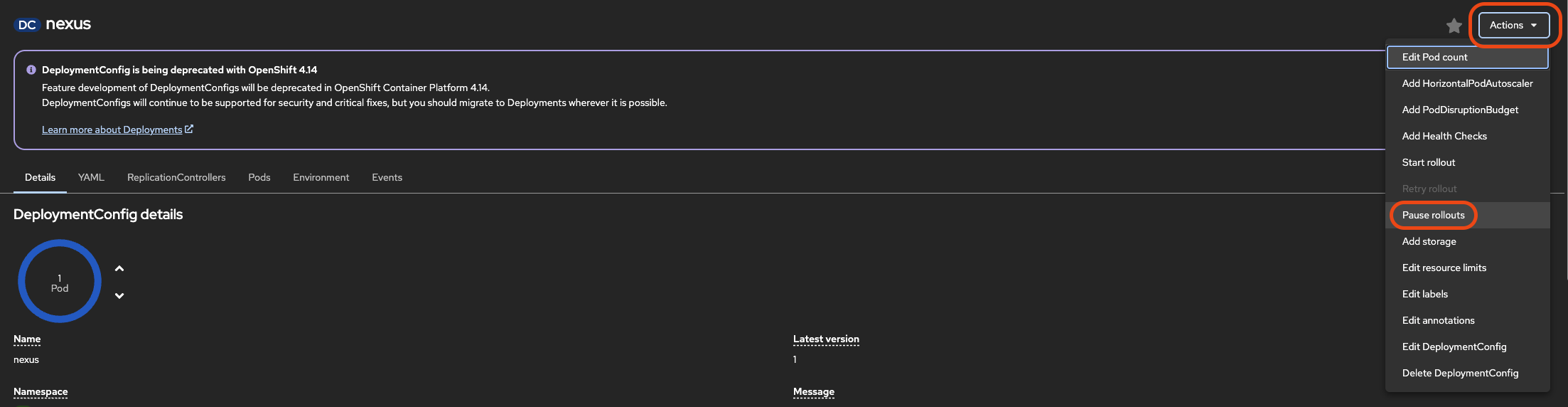
Pause rollouts until we are done reconfiguring storage by clicking the Actions dropdown then selecting Pause rollouts
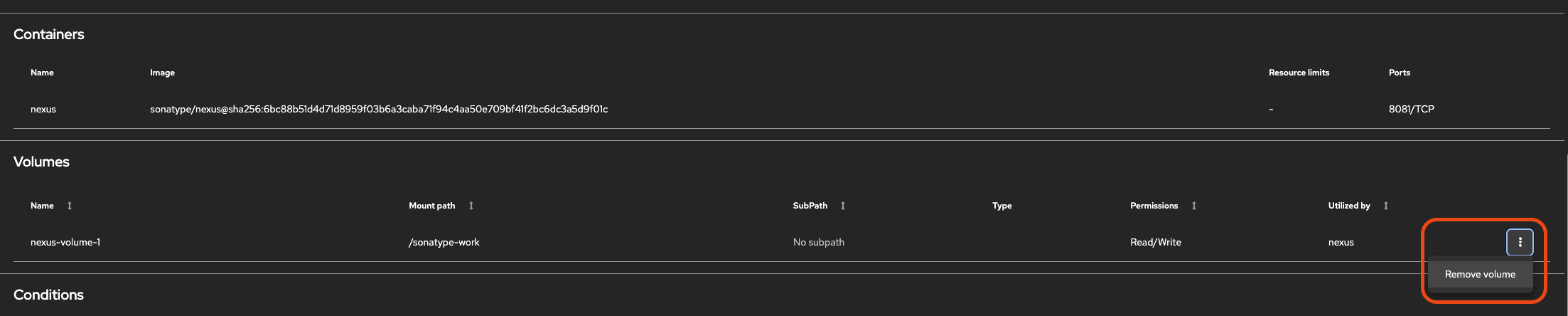
Let’s remove the current “empty dir” volume so we can mount a new Persistent Volume to the same mount point
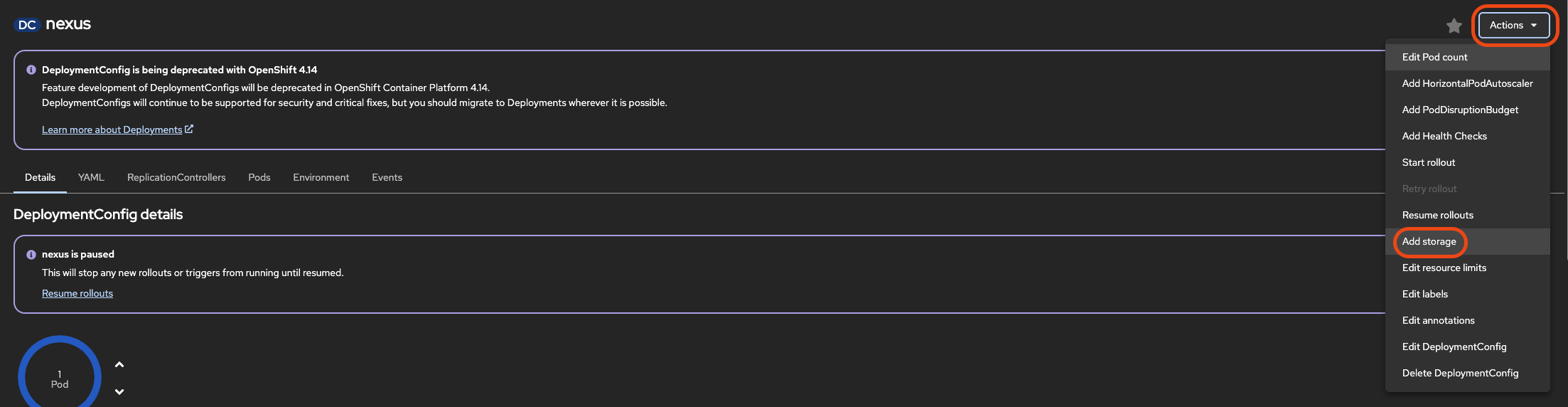
Go back to the Actions dropodown and select “Add Storage”
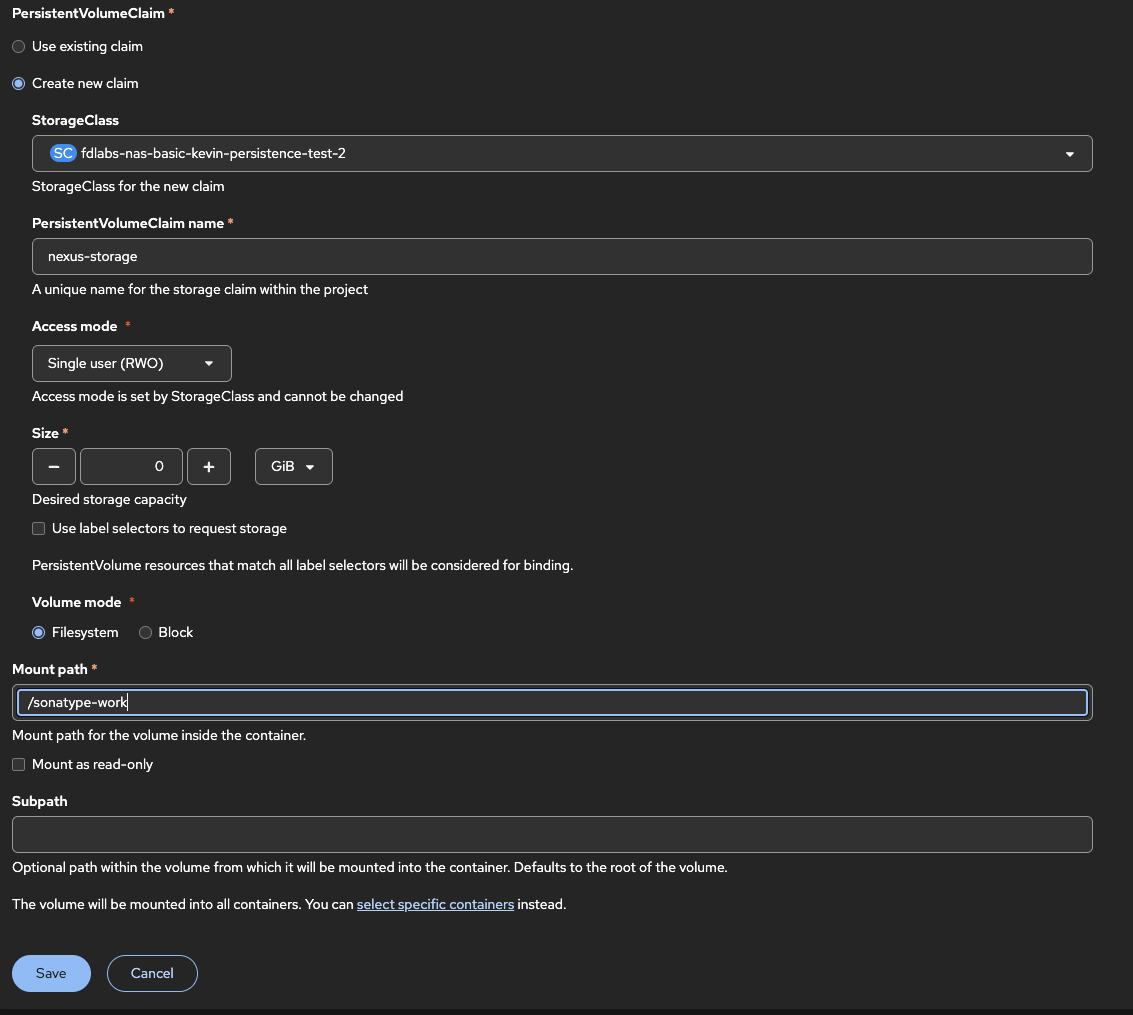
Create a new claim using your storage class. We need to give the claim a name, this can be anything you like but must be unique within your project, for now we can just call it nexus-storage.
Keep the default Access Mode of “Single User (RWO).
And for Size enter 10 GiB.
Specify /sonatype-work as our Mount path and click Save
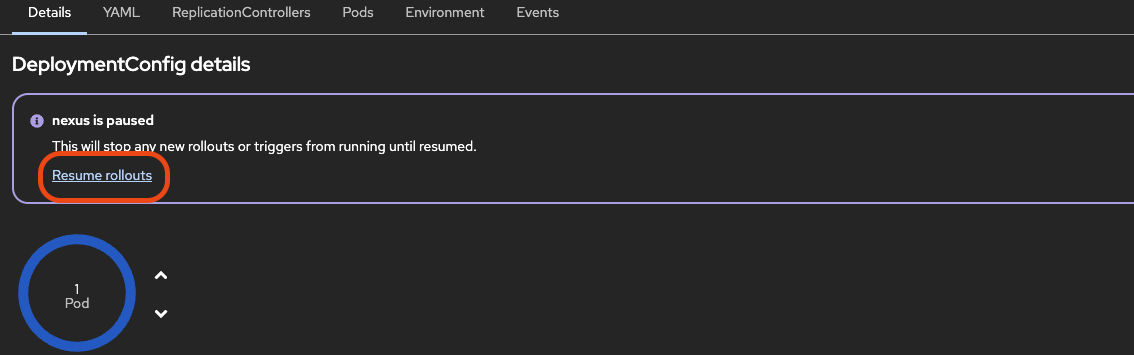
Finally verify our new volume is mounted at “/sonatype-work” and “Resume Rollouts” so our application can be deployed with this new configuration.