Welcome to Kubernetes
In this lab we’ll connect to the cluster and deploy our first application. We’re going to run through a whole lot of concepts very quickly so don’t worry if some things don’t immediately make sense, we’ll revisit these concepts in the remaining labs.
Get Connected
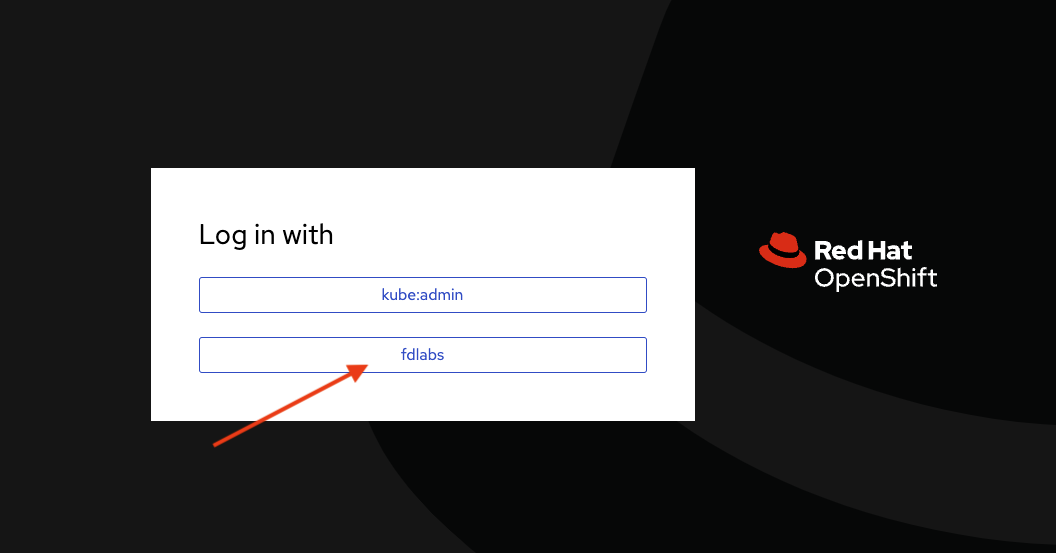
Browse over to https://console-openshift-console.apps.aegis-core.fdlabs.dev and log in with fdlabs to get started
How it works
The lab is in a private enclave which is not directly accessible over the internet. Workshop attendees are able to connect to specific services using ZScaler Browser Access with access controlled by Azure Active Directory.
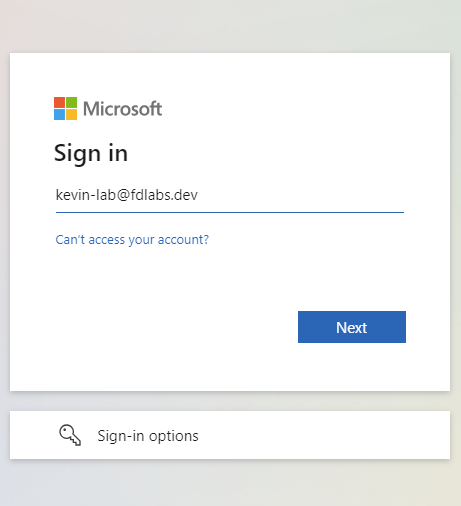
In fact all the components we’ll connect to over the course of the lab are controlled using Azure Active Directory. You should only need to authenticate once, from thereon out your credientials will be shared by all the lab services you use.
Your active directory username is userid@fdlabs.dev and your password will be provided by the folks running the workshop.
Info
We strongly recommend you open all the links in the following sections in separate tabs and keep them open for the entirety of the workshop.
Key Terms
- Project - A project is a group of services that are related logically