Production CI/CD Pipeline
Any commit to the main branch will trigger the CI/CD pipeline. In the repository, navigate to prod-cluster/deploy and edit deployment.yaml. Change the tag on the image: from 5.0.9 to 5.0.10 and commit the change.
Navigate to Build then Pipelines. You should see the most recent pipeline run at the top with a status of blocked.
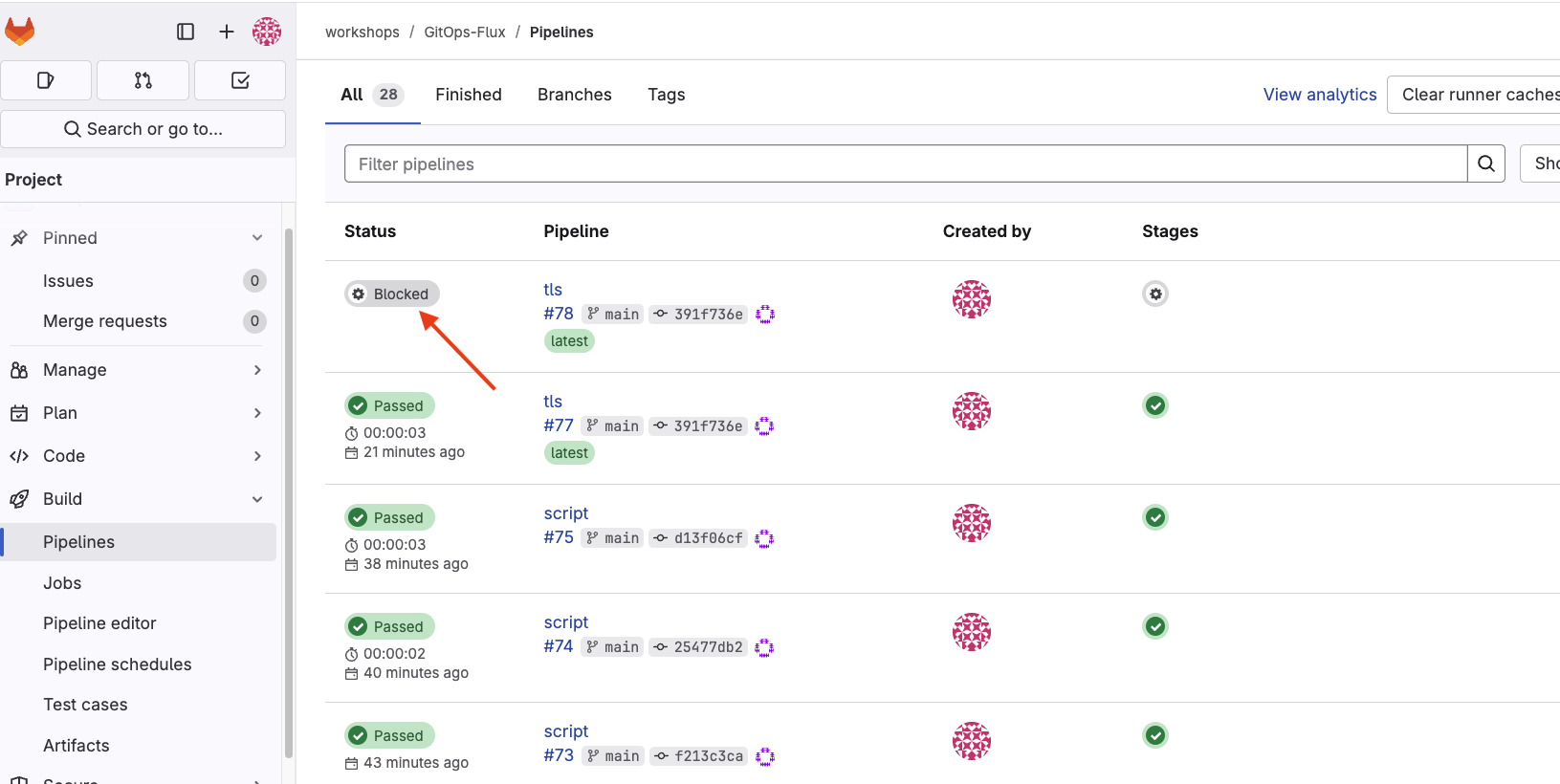 Select the Blocked Status link. Select the run button to the right of the deploy_prod job.
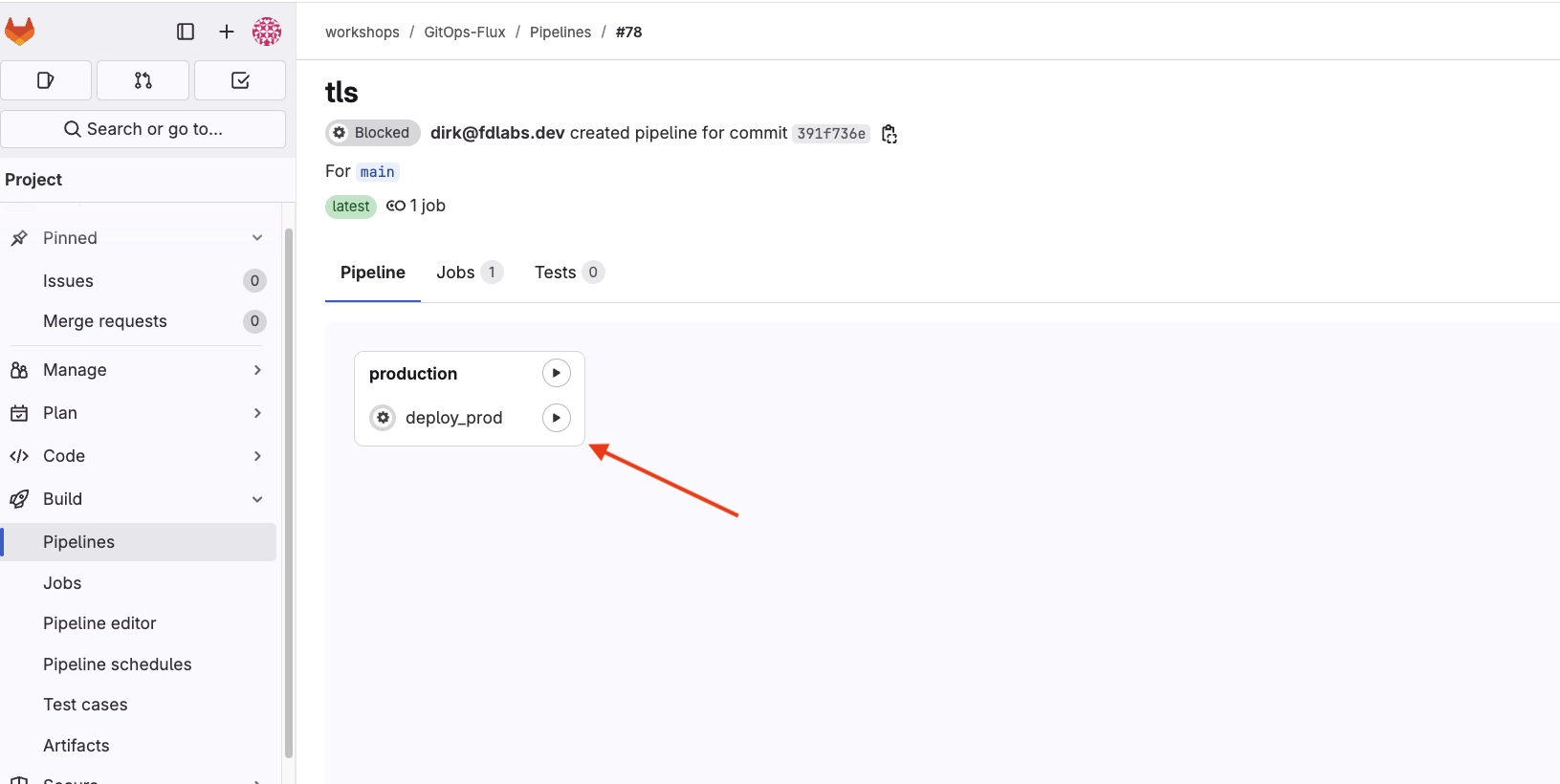 Select the deploy_prod job hyperlink to view the job status.
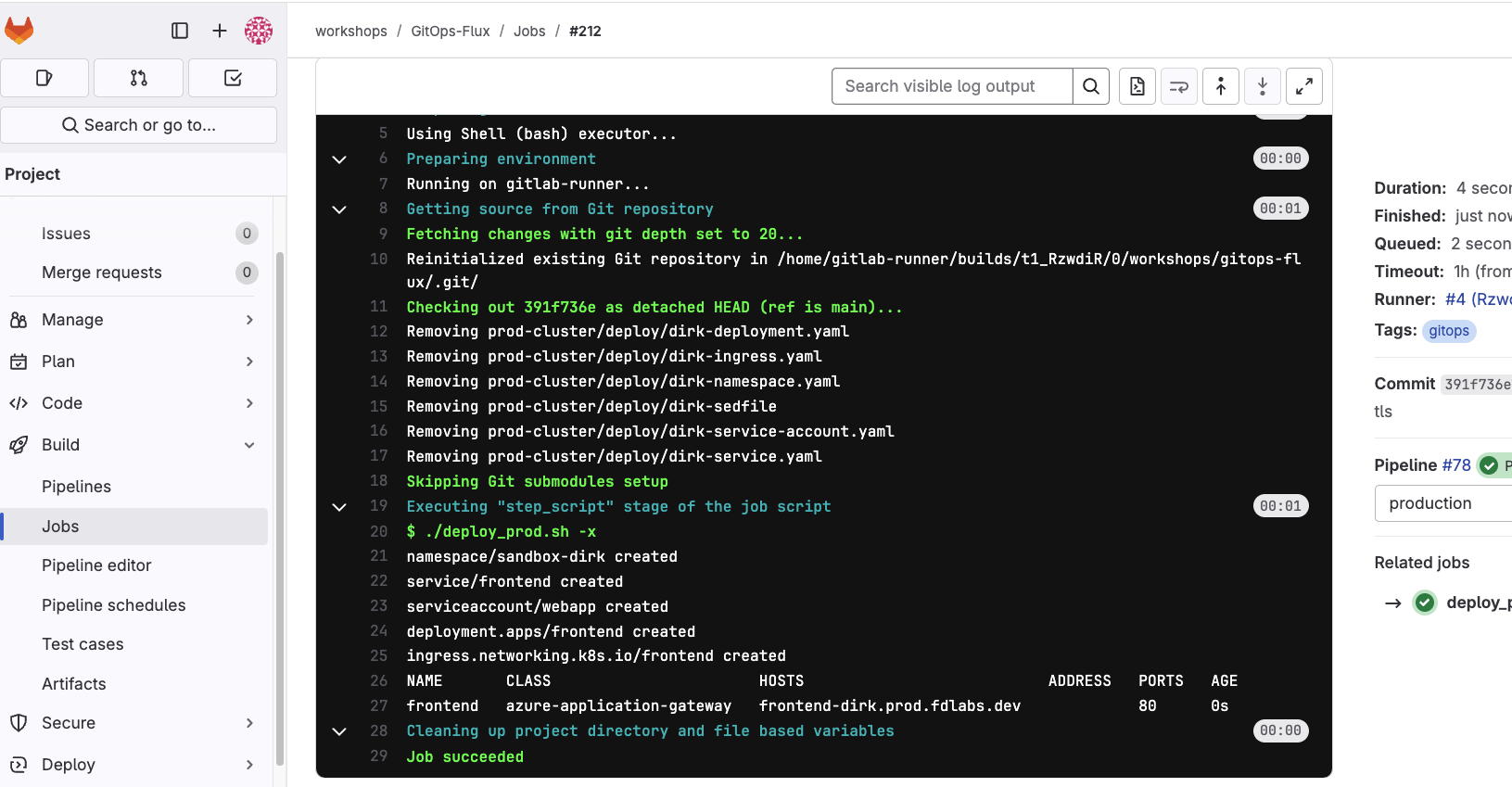
The last step in the job is showing the output of the kubectl get ingress command. Copy and paste the value from the HOSTS field into a web browser to see the application running on the Azure cluster.