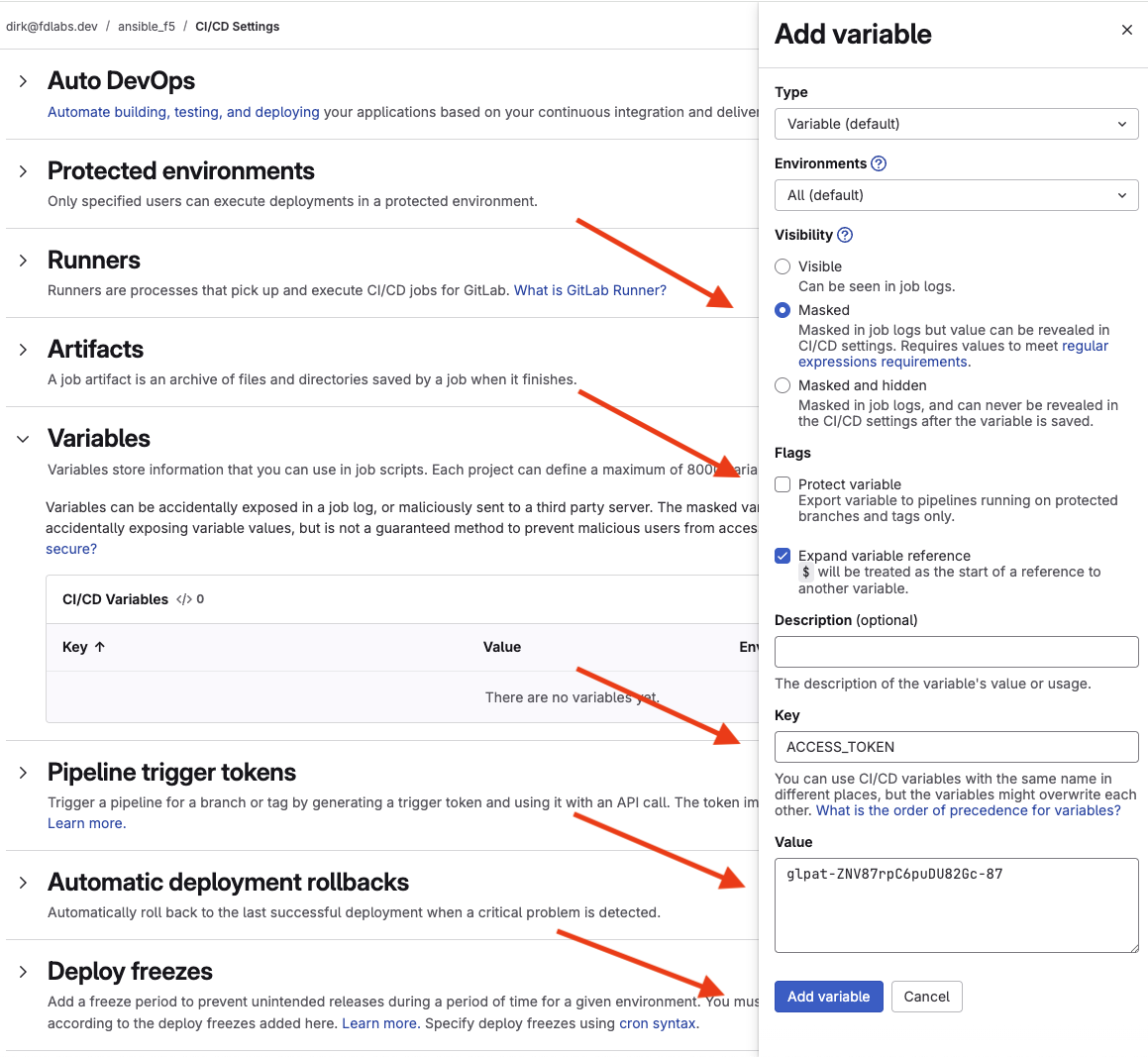
Create Gitlab CI/CD Variable for an Access Token
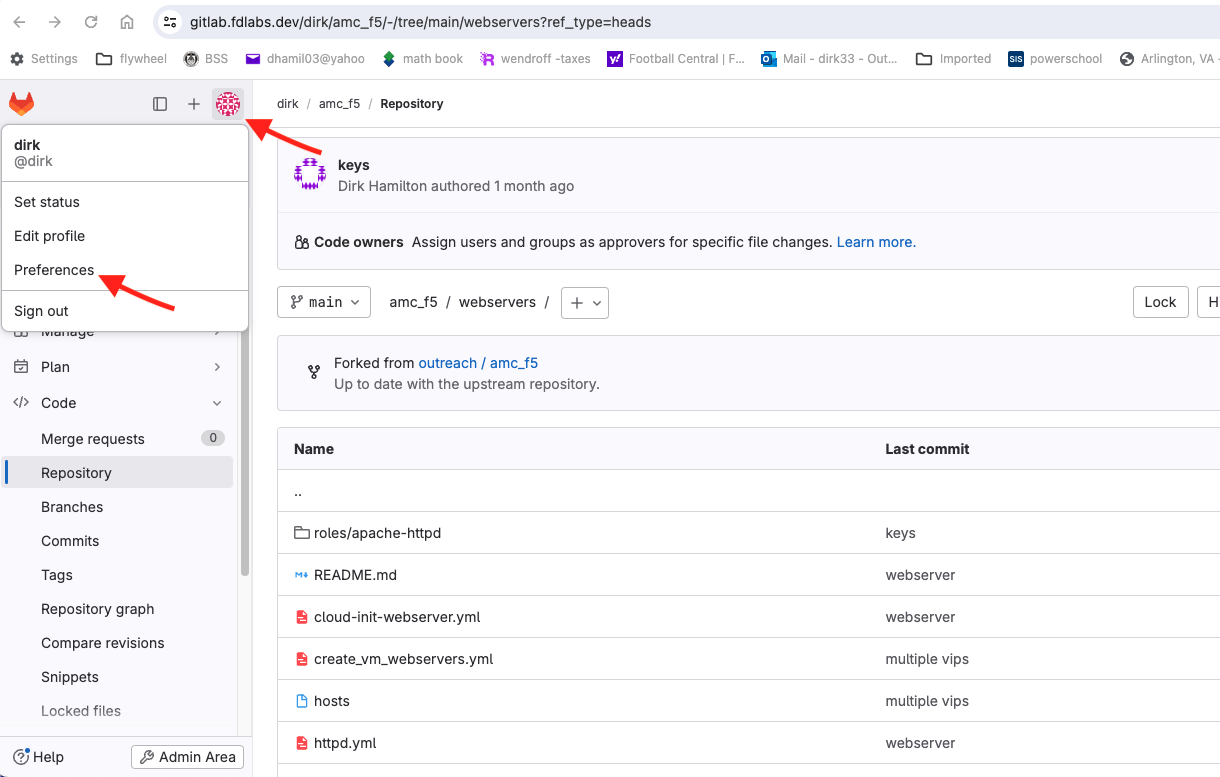
Next, we will create a Gitlab personal access token for accessing the registry and repository. Select the icon in the upper left corner to access User Settings, then select Preferences. This icon is unique per user and is located to the right of the + sign near the tanuki icon.
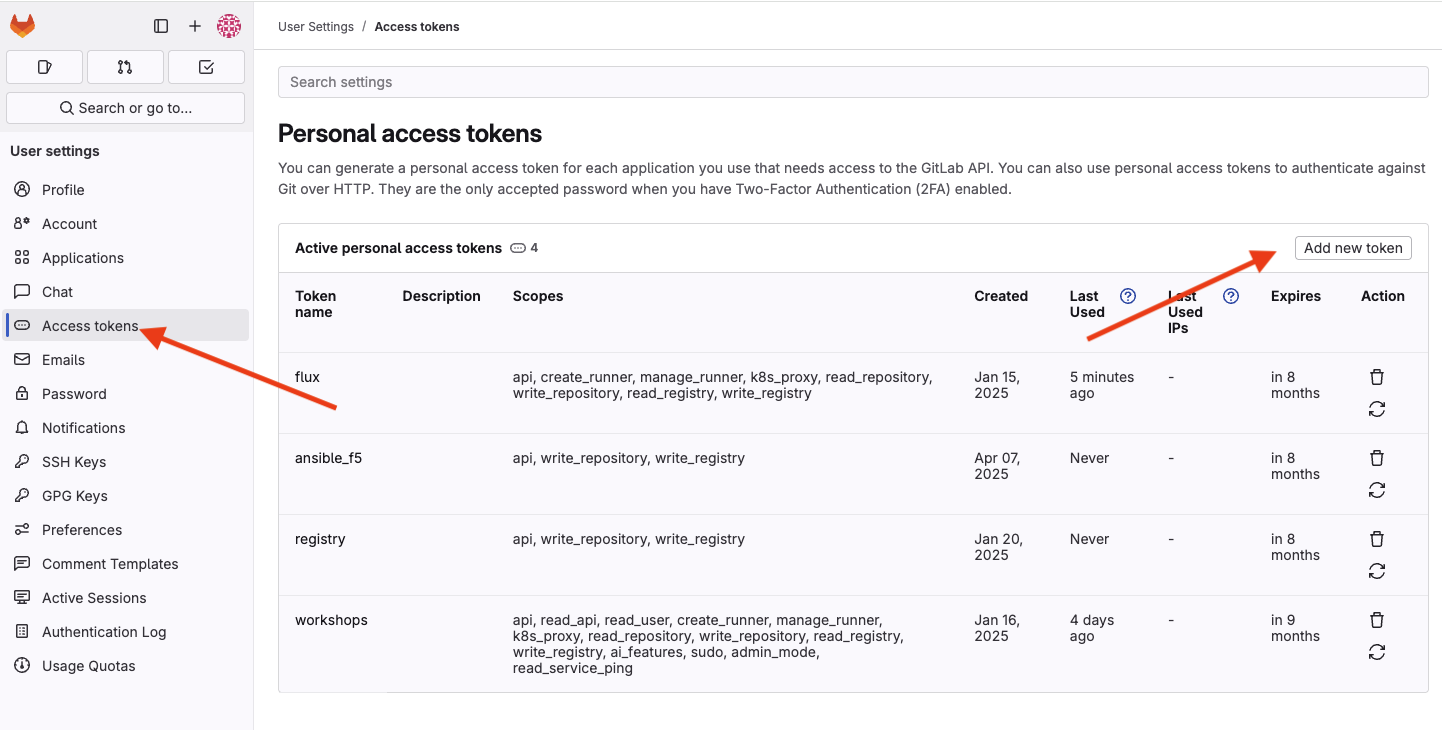
Select Access Tokens, then Add new token.
Give it a name, select the expiration date of a week from now and select the following under Select scopes:
- api
- write_repository
- write_registry
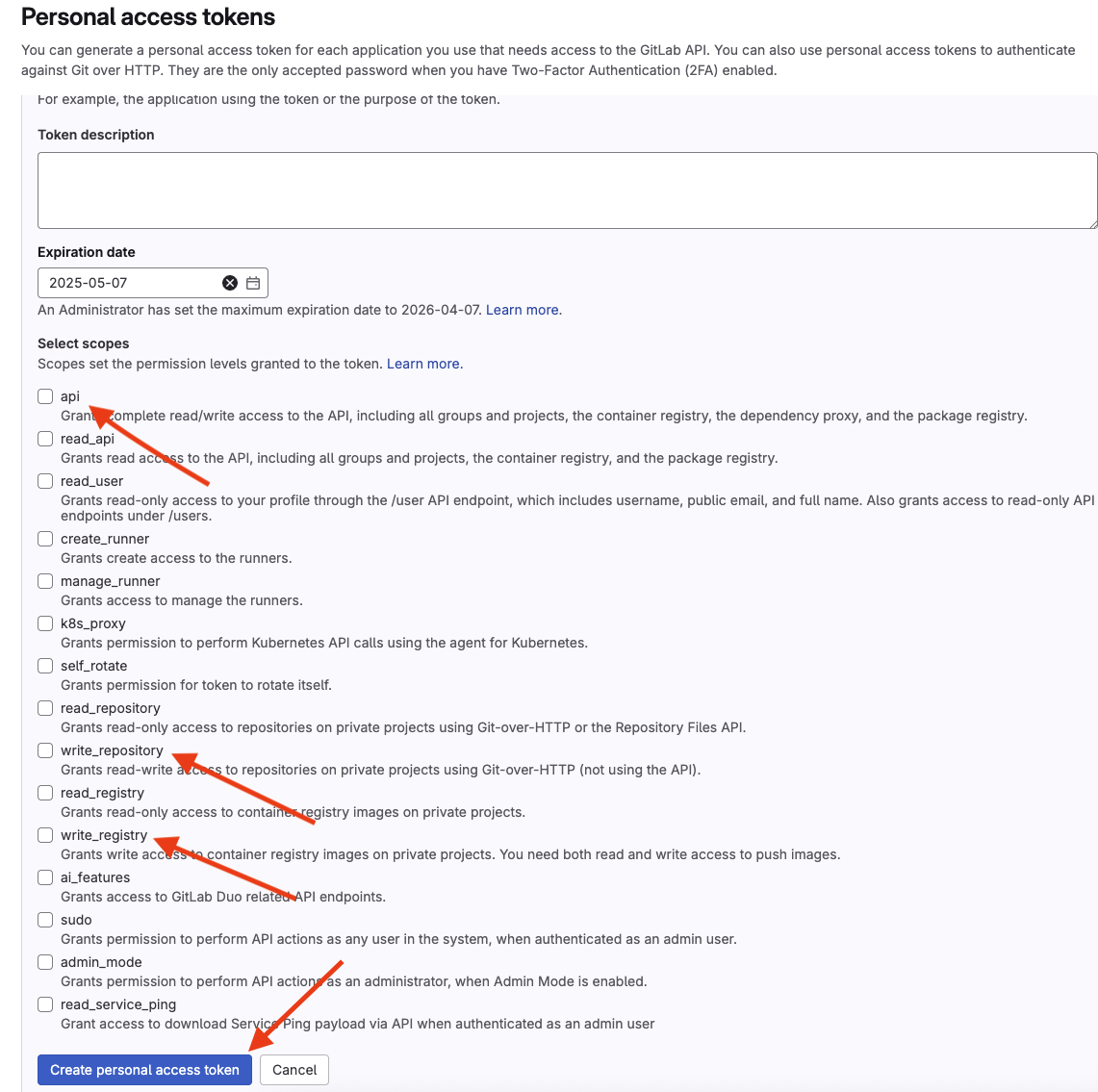
Select the Create personal access token button to create the token. Select the clipboard icon to copy the token.
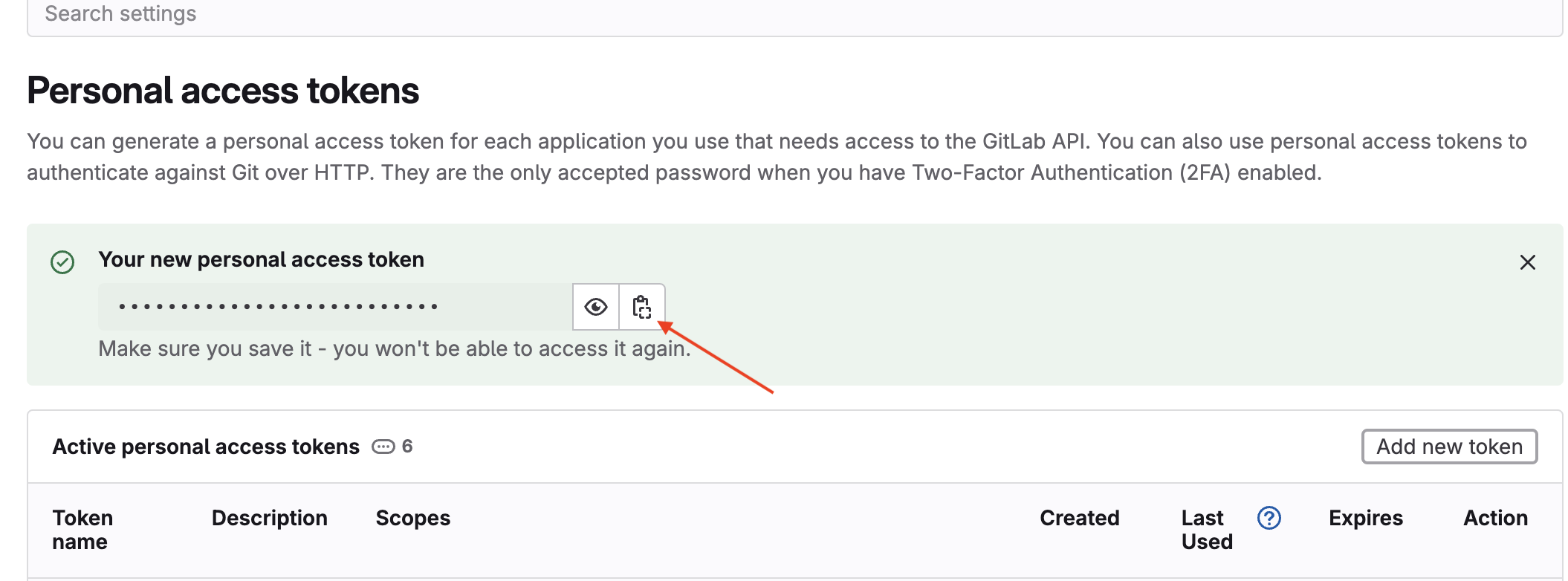
Add a CI/CD variable with the token
Navigate back to YOUR project by hitting the tanuki icon in the upper left and then selecting the link for YOUR project. Do not select workshops/ansible_f5.
From the Settings menu, select CI/CD.
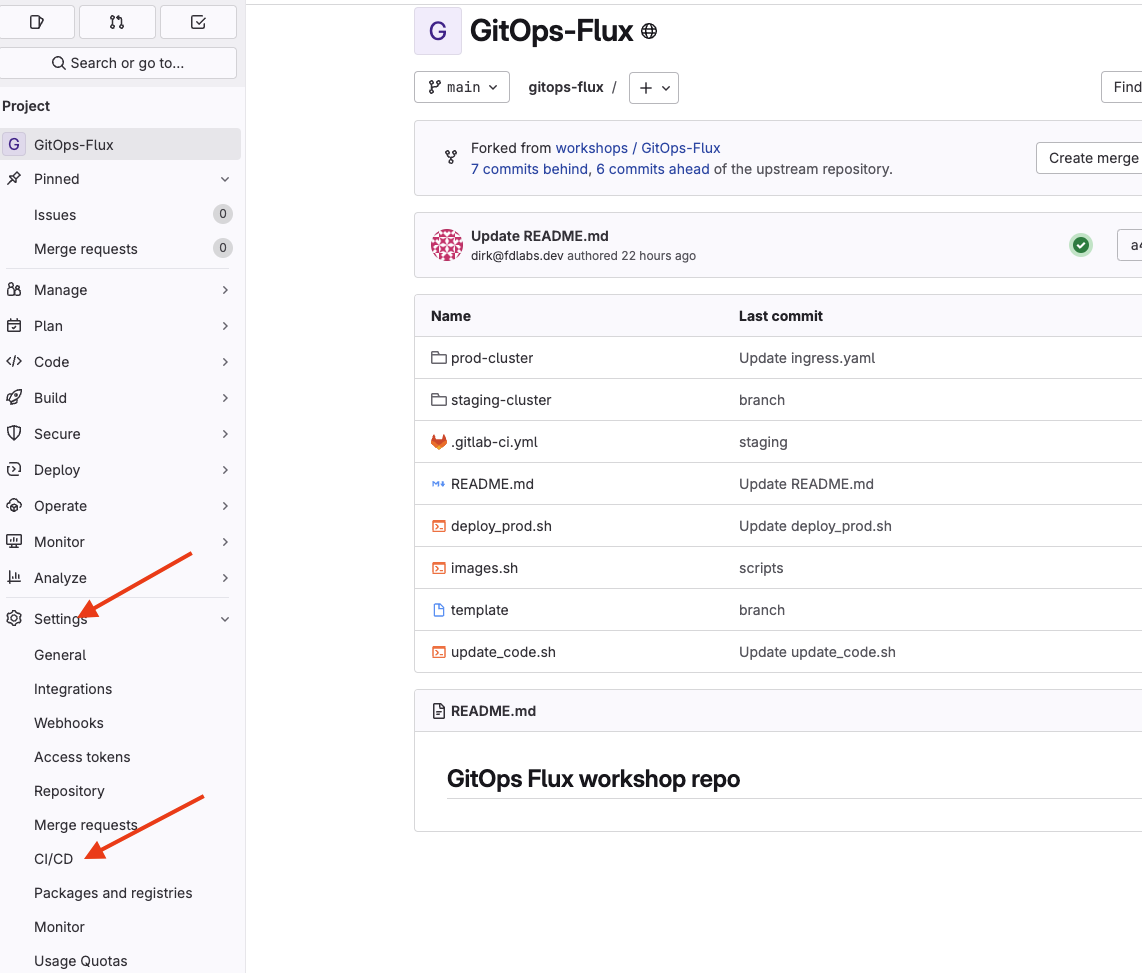
Select the expand button next to the Variables section. Select Add variable. Enter ACCESS_TOKEN in the Key field and paste the value of the token into the Value field. Select the Masked button in the Visibility section, unselect the Protect variable box in the Flags section and select Add variable.