Build custom ansible container image
In this section we are going to build a custom ansible container image using a Dockerfile and store the image in our container registry so that the CI/CD pipeline can use it for future runs as we expand our pipeline.
Select Code then Repository. Select the .gitlab-ci.yml file. Select the blue Edit selection list and then choose Edit single file.
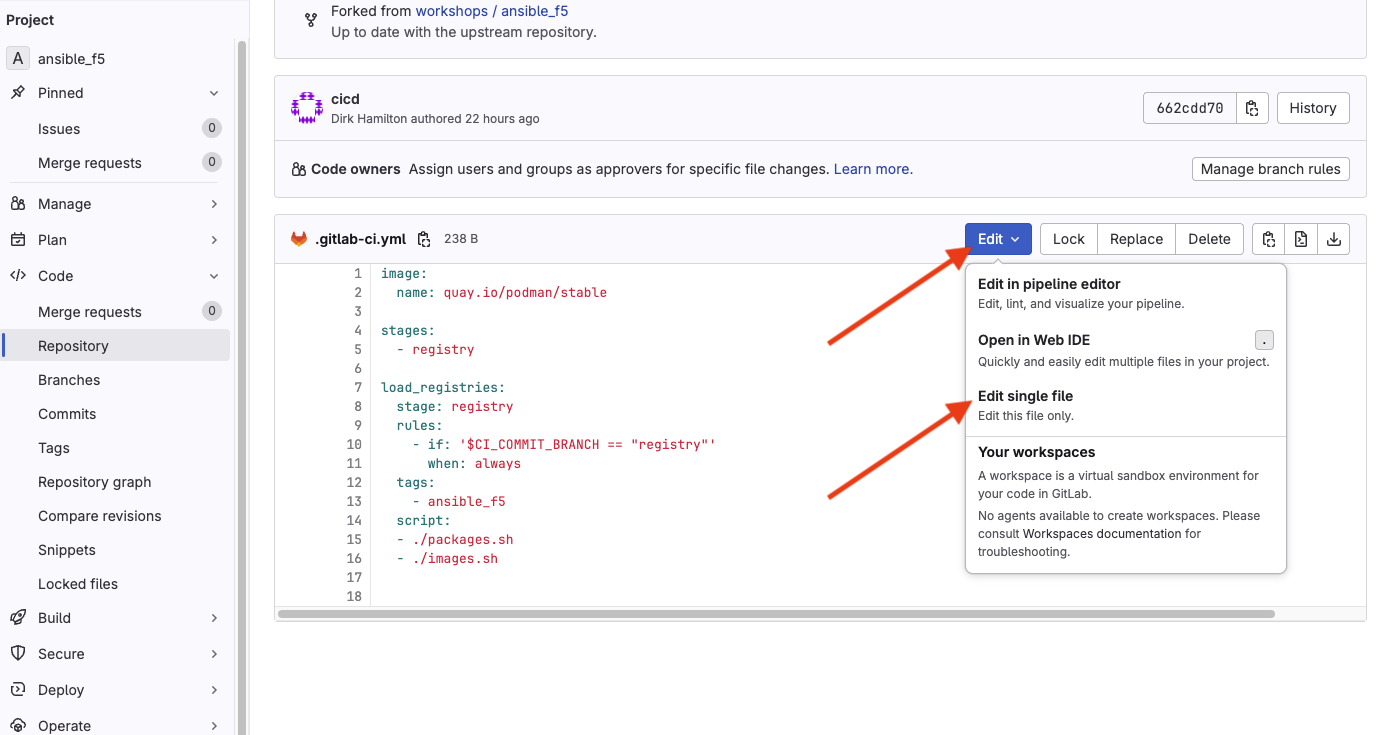
In the stages section, add a new stage called container so that it looks like the following:
Next, copy and paste the following block at the end of the file to define the staging phase:
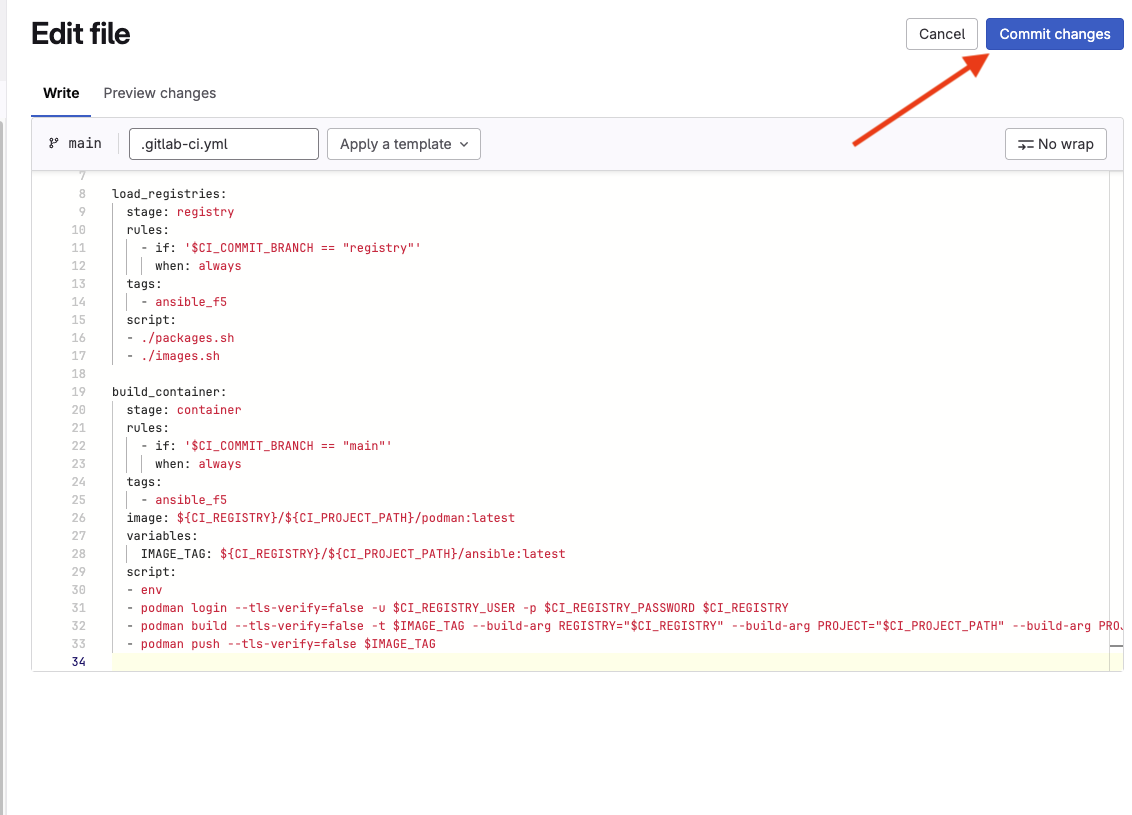
At the top right corner, select Commit changes to update the file. You will be prompted for a commit message. Leave the default value and select the Commit changes button. This will trigger the CI/CD pipeline again.