View the Gitlab Runners available to the project
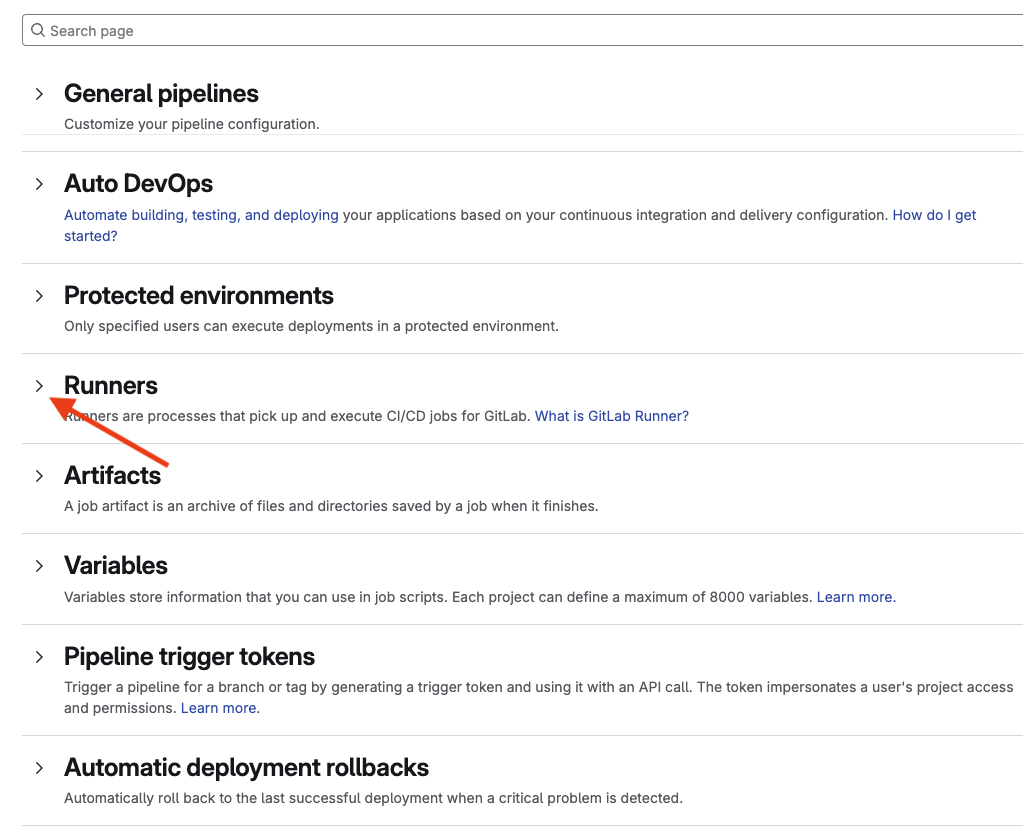
Finally, we will look at the Gitlab runners available to the project. Select Settings then CI/CD. Select the > character in the Runners section to expand the section.
There are several runners available under the Instance runners section. Note the runner with the tag of ansible_f5. This is the runner that we will use during this workshop. This tag must be used in each job section in the pipeline definition that we will review shortly.
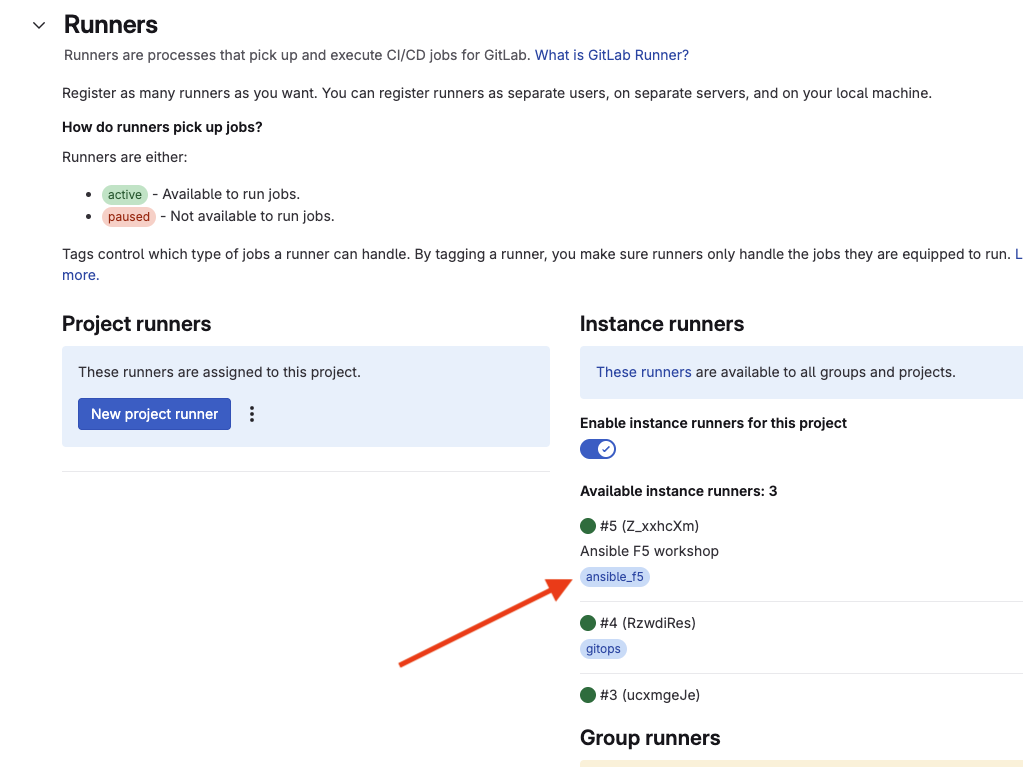
If we wanted to create a runner dedicated to this project, this is the section where this would be done. For now, we’ll proceed with the shared runner.
After logging into the F5, we will be ready to run our first job!