Ansible Inventory
Review the contents of the inventory file.
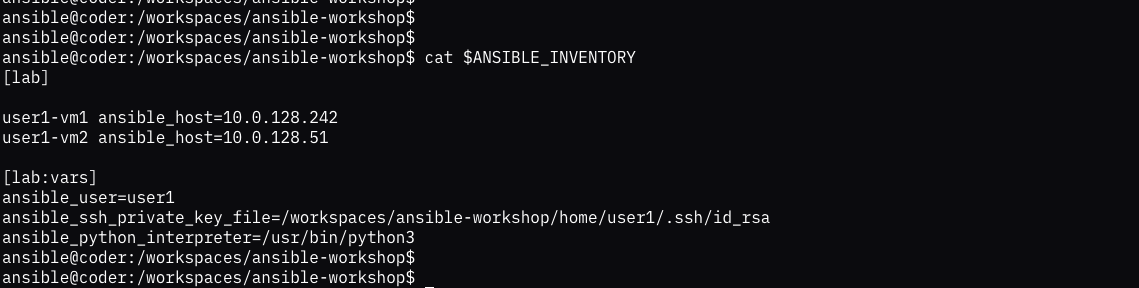
The inventory file in ansible defines characteristics of the hosts that you are going to run playbooks on. The [lab] definition is a group in our case has two hosts defined in it. You can run playbooks against individual hosts or groups.
The [lab:vars] definition is where you set variables for a specific group. In our case we are setting the user and ssh key that will be used to access the host.
In the coder container all users are actually the ansible user. If you try to ssh to one of the hosts as ansible it will fail.
but if you try it specifying the key and user it should succeed.
Be sure to exit out of the remote system so that you are back on the Coder container. Now run the ansible command below to verify access to the executable and see the current version.
You should see the version and some configuration specifics about the ansible build.
Now we are going to test our inventory file by running the following command:
This is running the ansible ping module against the lab group in our inventory file. You should see successful ping results for all hosts in the inventory file.