Runner tokens & authentication
Runners reach out to Gitlab and periodically check in to see if they have any jobs assigned to them. In order to communicate with Gitlab they need to have a valid authentication token - a shared secret between the runner and the Gitlab server that ensures the runner is trusted.
Sensitive information like authentication tokens are managed in kubernetes with the use of secrets. We are going to generate a new runner token and save this token in a kubernetes secret.
Configuring Gitlab
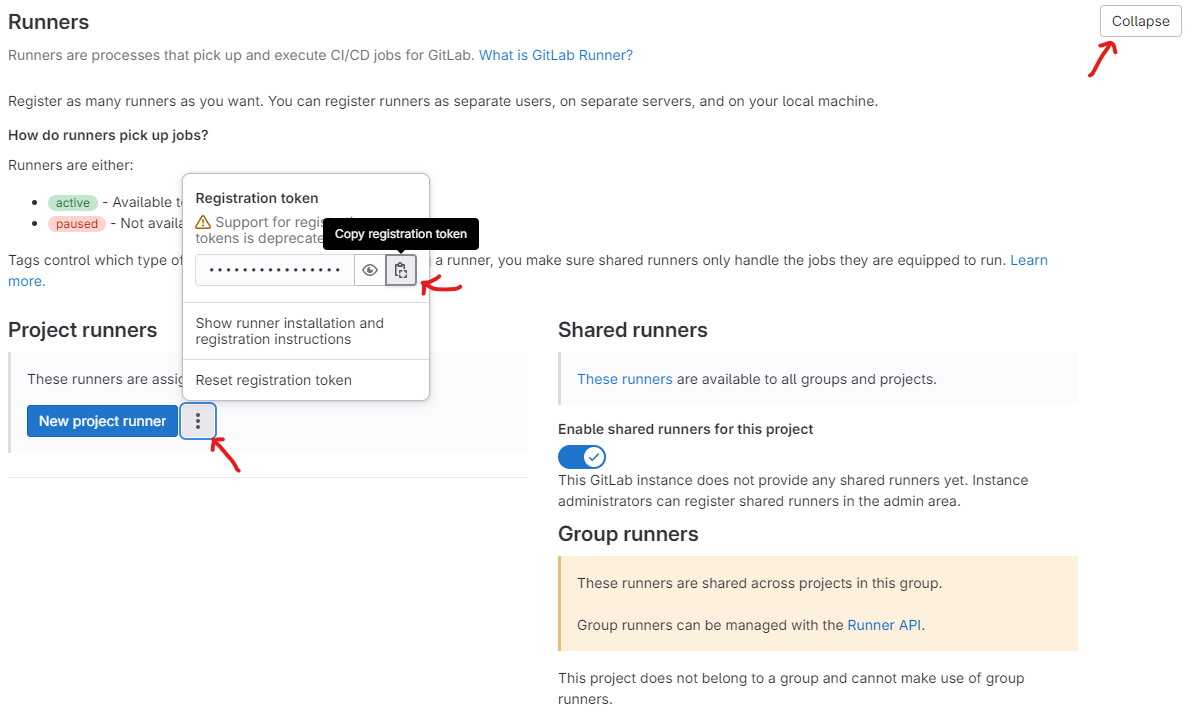
Let’s start by generating a new runner token. This token will register a worker with our project, as a result it will only be tasked with running our build jobs.
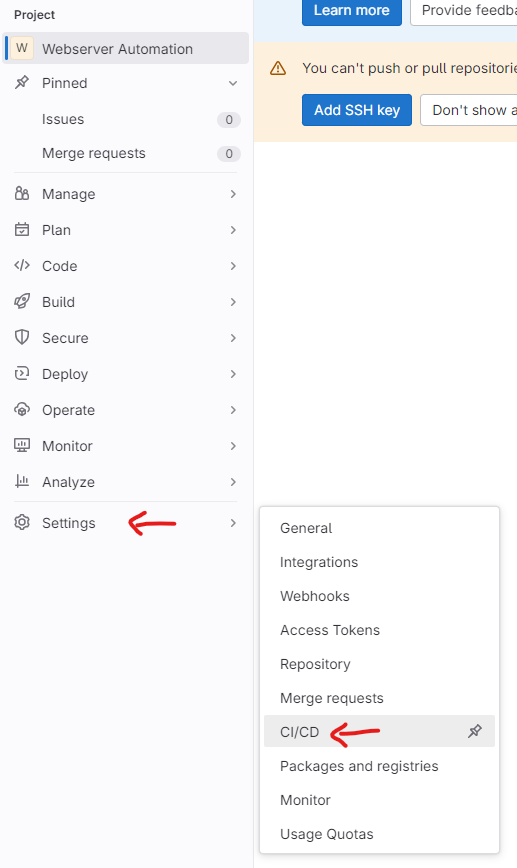
First we’ll browse to CI/CD settings
Then we’ll copy our runner registration token
Creating our secret
Now we’ll go back to our kubernetes terminal and create our secret. Run the command below to create your secret
Make sure your replace INSERT_YOUR_TOKEN with the token value you copied in the previous step. Secrets are immutable so if you get anything run you’ll need to delete and recrete the secret. You can delete it by running
Info
oc delete secret gitlab-runner-token.oc create secret generic gitlab-runner-token --from-literal runner-registration-token=INSERT_YOUR_TOKEN
