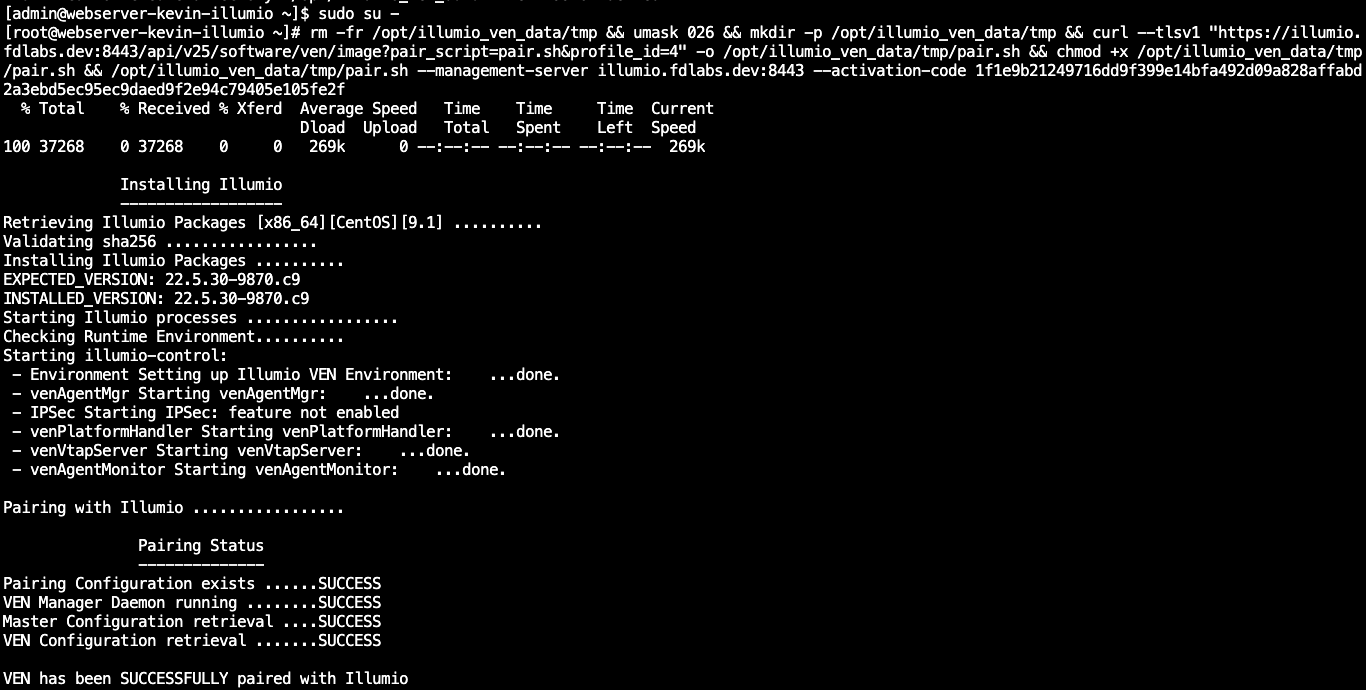
Register our server with the Illumio Policy Compute Engine
The best way to enforce microsegmentation on our server is to pair it by installing the Illumio agent on it. This is not absolutely necessary to enforce basic segmentation but it does give us the highest degree of traffic monitoring and control.
Note
You will see the terms PCE and VEN used throughout the rest of these labs. The Illumio Core consists of two key components — the Policy Compute Engine (PCE) and the Virtual Enforcement Node (VEN). The PCE is the server side of the Illumio platform. It is the segmentation policy controller and the central manager for the VEN. The VEN is the agent that is installed on your workloads.
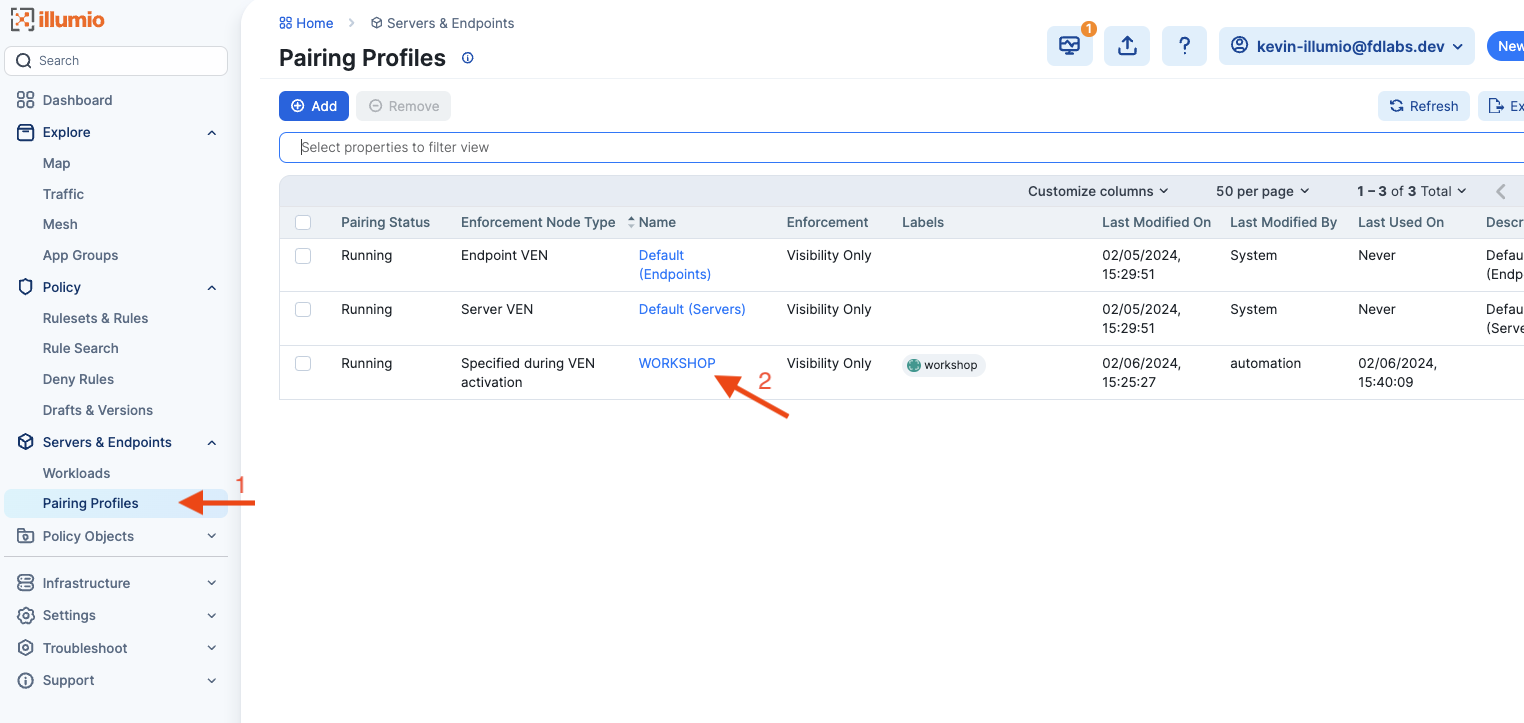
Once you are logged in to Illumio browse to the Pairing Profiles view and open the WORKSHOP profile.
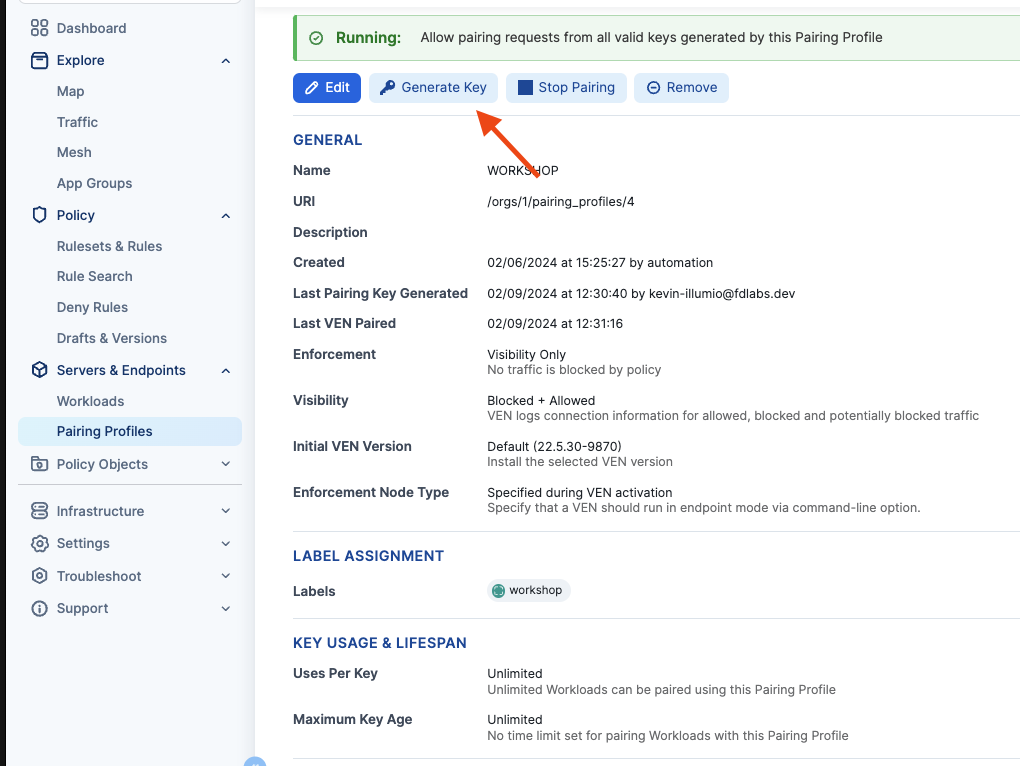
Generate a new pairing key
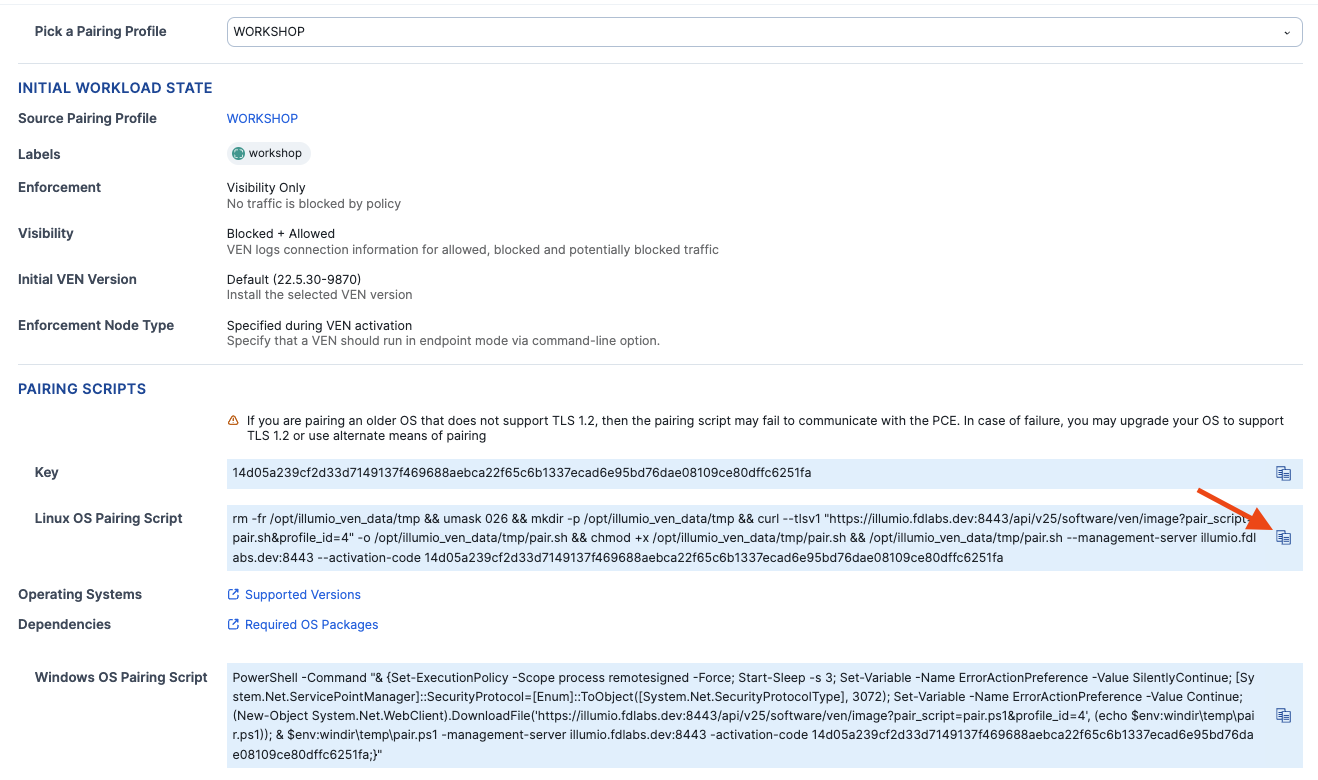
And copy the linux script
Go back to our linux terminal and run sudo su - to switch us over to a privileged user who has the ability to install new software. Then paste and run the pairing script.